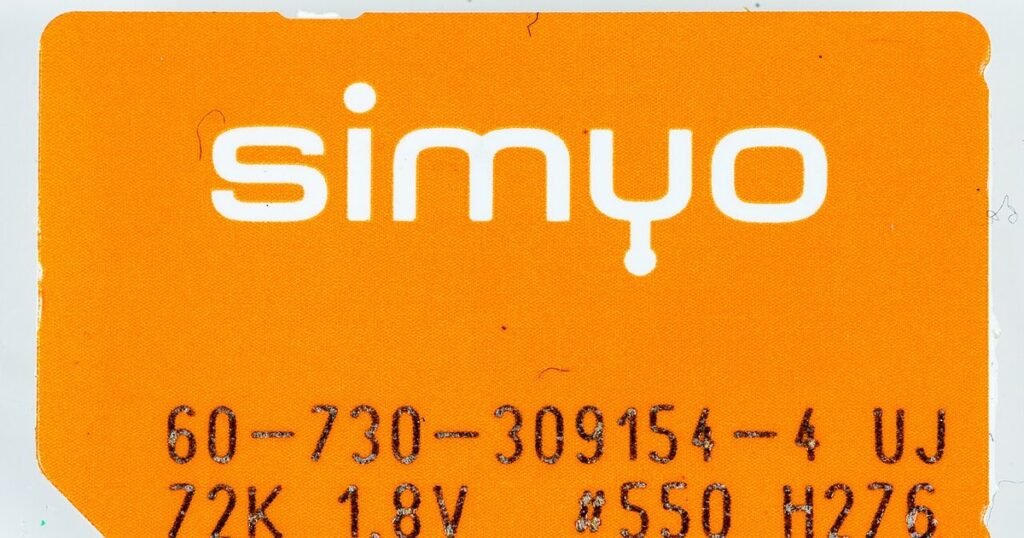
The little plastic card has been part of every phone for decades, and now it is quietly disappearing. Most new flagships and a growing share of mid-range phones sold in Australia, the US and Europe support eSIM, and several ship with no tray at all. The pitch sounds simple: activate in minutes, add a second line without a second slot, buy travel data before you land. All true, with caveats that only become obvious when something goes wrong. Here is what actually changes, and where the friction still sits.
What an eSIM actually is
The SIM is not really the card: it is the identity and credentials that let a carrier recognise your phone on its network. A physical SIM packs that into a chip you can move between devices. An eSIM puts a permanently soldered chip inside the phone and downloads those credentials as a profile, usually by scanning a QR code from your carrier or tapping through their app. There is no tray to open and nothing to insert. A newer step, iSIM, folds the same job into the phone’s main processor instead of a separate chip, which helps with space and power, but from your point of view it behaves much like an eSIM. For most buyers the practical distinction is simple: the profile is software, and software is only as portable as your carrier allows.
What changes in daily use
The convenience is real. You can activate a line in minutes, at any hour, without visiting a store or waiting for a card in the post, which is useful when you have just bought a phone outright or switched plans online. You can hold two or more profiles, so a work number and a personal number can live on one device without a dual-tray. When you upgrade phones, many carriers now let you move the eSIM across through their app in a few taps. If you travel, you can buy a local data plan before the flight and keep your home number active for bank codes and messages. Physical SIMs are also easy to misplace, and an eSIM cannot fall out, be lost, or be stolen from the phone itself.
How two lines behave side by side
A profile is not a single line. You choose which one carries mobile data, while calls and messages can arrive on either, and the phone lets you label them so work and personal stay apart. Only one line runs data at a time, and the idle one still rings for calls but has no internet of its own. You can move the data line in settings, or park a line when you do not want to be reachable on it.
The catches nobody mentions until it matters
The friction is real, and the shape of it is always the same: everything depends on your carrier and your phone model. Moving an eSIM to a new handset requires the carrier’s process, and a QR code can be single-use, so a code you scanned months ago may not work again, and some carriers charge for reissuing a profile. Support is uneven: some prepaid brands and smaller mobile virtual network operators still do not offer eSIM at all, and some only support it on certain plans. Because the profile is tied to the device, you cannot hand your SIM to a friend when your phone dies, or drop it into an old handset as a stopgap, which is exactly the moment people discover this the hard way. Cheaper and older phones, and some models sold in particular markets, still lack eSIM support entirely. And a factory reset or a device replacement can leave you needing carrier support to get the profile working again.
When the phone is lost, stolen or wiped
A missing handset is where the format stops being an abstract detail. Nobody can pull an eSIM out, so a thief cannot slide your number into another phone and collect your login codes, which is better than a plastic card. Recovery is harder. You need another device and a connection to reach your carrier and suspend the line, and without your account details you will be proving who you are without the phone that usually proves it. Save the support number and your account PIN somewhere else. Before you wipe a phone for a repair, a trade-in or a sale, ask whether that erases the profile, because some resets do.
Does eSIM change your signal or battery life?
In general, no. Your reception, speeds and call quality depend on the network, the bands your phone supports and local coverage, not on whether the credentials arrived on a chip or in a download. You will see claims about eSIM being faster or more efficient, and any difference is second-order at best compared with where you are standing and which tower is serving you. What does change is how you manage plans. Running two profiles at once means you choose which line handles data, and the phone may switch the data line automatically when travelling, so check your settings before you fly rather than after your first oversized bill. Roaming belongs to your plan, not to the SIM format, so a cheap roaming add-on on a physical SIM still beats an expensive eSIM roaming plan.
Moving to a new phone, and the backup problem
The transfer is the quiet part of the pitch. Many carriers let you move the profile across from their app, but plenty still want a call or a store visit, and the code you were issued is often single use, so a screenshot from months ago may be refused. Mid-move, the old phone can lose the line before the new one is running, which is a bad moment to need a bank code. Then there is the spare handset. The older phone in your drawer cannot take your eSIM, so a cracked screen no longer has the easy fix of moving a card into something that still works.
Travel is where eSIM wins clearly
If you only care about one eSIM scenario, make it travel. Buying a local or regional data plan before you leave means you land connected, with maps and messages working, and no hunt for a shop at the airport. Because your home profile stays active on the same phone, you can keep receiving bank and login codes while using cheap local data, which is the setup that used to require juggling two phones or swapping cards in a terminal. Two conditions to check first: your phone must be carrier unlocked, and it must support eSIM, since a few budget models still do not. Read the plan description too, because plenty of cheap tourist plans are data-only, with no local phone number and sometimes no voice at all. For a short trip, that is usually fine. For anything where you might need to make calls, check before you buy.
Roaming rules still decide the bill
A travel plan and roaming are different things. Roaming is your home line borrowing a network abroad under your home plan’s terms. A travel eSIM is a separate local plan, and it does not change how your home number is billed. So turn data roaming off on your home line and point data at the travel profile, while leaving the home line switched on for calls and messages. If the travel plan runs out, buy another rather than letting your home line take over. For a short trip, a roaming add-on may still be the cheaper answer.
How to switch without drama
Run through four checks before you commit. First, confirm your exact phone model supports eSIM, since support varies by model and by the market it was sold in, and confirm the handset is carrier unlocked. Second, look at your carrier’s own eSIM support page, because availability differs by plan and by prepaid versus postpaid, and a chat agent can confirm your specific account. Third, ask for the activation code or QR and save it somewhere safe, ideally in a password manager, since you may need it again. Fourth, do not cancel the old line until the new one is working. If your phone supports both a physical SIM and an eSIM, keep the physical one active during the switch. If you are porting your number, keep the old SIM until the port completes. Test a call and a data connection before you walk away from the counter, and keep your carrier’s support number handy for the first week.
If the switch goes wrong
Most failed switches are survivable if you keep a working line through them. So do not cancel or delete the old line until the new one can make a call and load a page. If a code fails, if the profile lands on the wrong phone, or if your number stalls in a port, the fix runs through carrier support. Have your account number and ID ready, and call from a second phone or a messaging app over wifi. If a bank code goes to a line that is not live, use your saved backup codes instead.
Who should stay on a physical SIM
Stay put if your operator does not offer eSIM on your plan, which is common among smaller prepaid brands. Stay put if you change handsets often, or keep an older phone as a fallback for when the main one breaks, because the profile only travels as far as your carrier allows. A cheap handset with no eSIM support is a poor home for your main line. Stay put if you would rather fix a problem yourself than wait in a support queue, since swapping a card is often the faster recovery.
Pros and cons
What works well
- Activate a line or a travel plan in minutes, at any hour, with no store visit or posted card.
- Two or more lines on one phone without needing a dual SIM tray, which suits splitting work and personal numbers.
- Nothing to lose, snap or remove, so there is no tiny card to drop behind a desk or leave in an old handset.
- Travel plans can be added before you fly while your home number stays live for messages and codes.
- Moving to a new phone is now quick with many carriers, straight from their app.
What to watch out for
- Everything depends on carrier support, which is uneven and can differ by plan, especially among prepaid and smaller operators.
- You cannot move the line physically to another handset in an emergency, which matters when your phone dies or is lost.
- Reissuing or transferring a profile can need a QR code, carrier contact or even a fee.
- A factory reset or device change can leave you needing carrier help to reprovision.
- Some older, cheaper and region-specific models have no eSIM support at all.
Verdict: best for, and who should skip it
Best for: travellers, people who want two numbers on one phone, and anyone who buys handsets outright and switches plans online. Skip if you rely on a small carrier with patchy eSIM support, if you like being able to move your SIM into a spare phone when something breaks, or if you use a very cheap handset as a backup. The trade-off is convenience for portability: eSIM is easier right up to the moment you need to move the line somewhere unexpected.
Questions
Can I switch back from an eSIM to a physical SIM?
Yes, in most cases. Your carrier issues a physical SIM and moves the number across, usually for a small fee or free depending on the operator. Ask before you switch so you know the cost and the turnaround, and keep both lines working until the new card is active.
Will my eSIM survive a factory reset?
It varies. Some phones keep the profile through a reset and some do not, and a reset for a trade-in or a repair can wipe it. Save your activation details and check with your carrier before resetting, especially if you are selling or returning the phone.
Is an eSIM more secure if my phone is stolen?
It helps in one specific way: nobody can pull the SIM out to stop tracking or move your line into another handset. But a thief may be able to remove the eSIM through the phone’s settings, so use a screen lock, keep your account PIN safe, and contact your carrier quickly to suspend the line.
Do all carriers support eSIM?
No. Support varies a lot by country, operator and plan type, and prepaid brands often lag behind. Check your carrier’s own eSIM page, or ask their support team about your specific account, rather than trusting a general list.
Next step: More on phones at Nexgadgets: 5G phones explained for whether the upgrade matters where you live, and how long phone batteries actually last if your handset is getting old enough to replace.
Nexgadgets provides general information, not professional advice. Always do your own research.