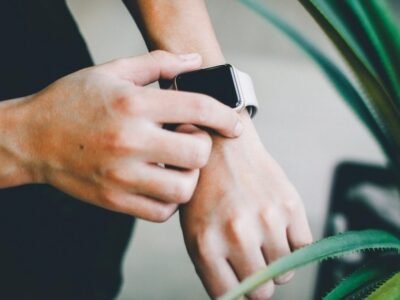
Fitness trackers are incredibly convenient, but the honest question most people ask is whether the numbers actually mean anything. The short answer is that they’re excellent for spotting trends and keeping you motivated, and less reliable as precise measurements. That distinction matters more than most people realise.
Here’s a straight breakdown of what you can trust, what’s a rough estimate, and where a tracker can genuinely mislead you if you take it too seriously. A little honesty up front saves you from chasing numbers that were never meant to be exact in the first place.
Step counts
Step counting is the most accurate thing a wrist tracker does. Modern sensors and algorithms count steps from hand motion, so they’re usually within a few percent of reality on a flat walk. They drift, however, when you move your arms without walking — carrying groceries, pushing a trolley, or clapping can add phantom steps. For a daily goal it’s fine. For a precise measure of distance travelled, it’s not. Treat it as a guide, not a scorecard, and don’t be surprised when two different devices disagree about how far you went.
What the sensors actually measure
Almost nothing on that screen was measured. It was inferred, and the difference is worth holding onto.
Only a few sensors do real work. An accelerometer notices movement in three directions. An optical sensor shines light into your skin and watches how the reflection changes as blood pulses underneath. A GPS chip listens for satellite signals and works out where you are. Some models add a barometer or a temperature sensor.
Everything else is software reading meaning into those signals. Step counts, distance, calorie burn, sleep stages and recovery scores are all built this way. The hardware supplies motion and pulse. The algorithm supplies the story.
That is not a criticism. A good algorithm can be impressively accurate at the job it was tuned for. Trouble starts when an inference is printed in the same confident font as a measurement. A stopwatch measures; a calorie total estimates, and the two look identical on screen.
Calorie burn is the clearest example of the gap. There is no sensor for metabolism. That figure comes from a formula built on your height, weight, age and the activity the device thinks you did. It is a population average applied to one person, which is why it can sit close for some people and far off for others.
Heart rate
Optical sensors read blood flow through your skin, and they’re good during steady exercise. The catch is that they lag. During high-intensity interval training, where your heart rate jumps and drops fast, wrist sensors are often a beat behind and can miss the peak entirely. When you’re resting they’re usually spot-on, which is why resting heart rate is one of the most useful things a tracker tells you. Use them to gauge workout intensity and resting rate over time, and especially to watch the long-term direction rather than any single reading. Do not use them for medical decisions.
Why wrist heart rate struggles when you push hard
Optical heart rate is a clever trick. Light goes in, and the amount reflected back shifts slightly with every pulse. Count that shift and you have a heart rate.
Plenty gets in the way of so clean a picture.
- Motion. Arm swing and foot strike add noise the size of the pulse you want.
- Contact. A loose strap lets light leak in; a tight one presses on vessels.
- Skin and hair. Darker skin, tattoos and body hair cut how much light reaches the blood.
- Temperature. Cold skin carries less blood near the surface.
- Averaging. The number you see is partly the recent past.
Interval training stacks every one of those at once. Your pulse is fast, your arms are moving, and the sensor is smoothing it out. By the time the number climbs, the hard part of the interval may be over. It is not lying so much as running late.
A chest strap sidesteps most of this by reading the heart’s electrical activity directly rather than inferring it through skin. If you train in zones and the boundaries matter to your session, that is the version worth wearing. For calmer sessions the wrist holds up well, because sitting, sleeping and easy walking all give it time to settle.
One thing to keep in view. A heart rate reading is a general wellness signal, not a diagnosis, and it cannot tell you whether something is wrong. If a number or a pattern worries you, a health professional is the right place to take it.
Sleep tracking
Sleep stages are not measured directly. Consumer trackers estimate them from your movement and heart rate, and the results genuinely vary between devices. They’re good at spotting broad patterns — whether you’re sleeping less, going to bed later, or waking frequently across a week or two. Pinpoint accuracy on how much deep sleep you got last night is not something they reliably deliver, and the exact figure shouldn’t worry you. Watch the trajectory across weeks instead.
Calories: the biggest guess
Calorie burn is the least trustworthy number on any tracker. It’s calculated from your height, weight, age, heart rate and activity, rather than measured directly. The result can be off by a significant margin from your actual energy use, sometimes overstating burn quite a lot. That’s why eating back the calories it reports is a common trap. Use the number to compare days and weeks, not to decide how much to eat. For weight management, your overall trend on the scale tells you far more than any single session figure.
GPS and distance
If your tracker has built-in GPS, the distance and pace are generally solid on a clear run or ride, though a tree-covered trail or tall buildings can skew it slightly. Some cheaper bands rely on your phone’s GPS instead, which is fine but means you can’t leave the phone at home. For route tracking on runs, a GPS model is a genuine step up and worth the extra few dollars if outdoor exercise is your thing. It also makes the distance figures you see more trustworthy than a purely step-based estimate.
GPS drift, and why a route can look wrong
GPS works by timing radio signals from satellites. Your chip needs a clear view of the sky and a lock on several satellites before the position settles. Real streets rarely oblige.
- Trees, tall buildings and tunnels block or reflect the signals.
- The opening stretch of a run wanders while the chip finds itself.
- Your wrist swings, so the chip moves even when you stand still.
- Battery saving modes sample less often, so the map uses fewer points.
Reflection is the part people find strangest. A signal that bounces off a building arrives slightly late, and the chip reads that delay as extra distance. Your dot lands somewhere you never stood. String a few of those together and the route map cuts corners or credits you with distance you did not cover.
Pausing distorts things further. Standing at a crossing with the timer running adds time but no distance, which drags your average pace down. Auto pause fixes most of that.
Distance from GPS is generally more dependable than distance guessed from steps. That is a statement about the method, not a promise about the number.
Why step counts vary with where the device sits
Placement changes the signal, and the signal is all the algorithm has.
A watch on your wrist sees your arm swing. A tracker on a waistband sees your whole body rise and fall. One in a pocket sees a bit of both. The same walk produces three different patterns of movement, so it produces three different step totals.
Each manufacturer tunes its algorithm around the placement it expects. Two devices can disagree about the same stroll without either being faulty. They are calibrated differently rather than measured against one shared ruler.
Then there is movement that looks like walking and is not. Pushing a trolley, carrying a box, clapping, knitting, drumming your fingers. A wrist sensor cannot tell whether any of that came with a step, so some of it gets added. It runs the other way too. Pushing a pram or gripping a handrail can hold your arm still and hide real steps.
The practical fix is consistency. Same device, same spot, worn the same way each day. Your errors then stay roughly constant, and a steady error still lets a trend show through. Swap wrists or swap devices mid-week and you have muddied your own baseline for nothing.
How to use the data honestly
Most of the value in a tracker comes from a handful of habits, not from precision.
- Trust the trend, not the reading. A week beats a single day, and a month beats a week.
- Pick one or two things to watch. Tracking everything makes noise, not insight.
- Treat calorie burn as a comparison, not a budget, and never eat back an estimate.
- Use sleep data for timing, not stage detail. Bedtime and wake time hold up better than a single night’s breakdown.
- Watch where your resting heart rate drifts across weeks, which is where the signal steadies.
A tracker is at heart a behaviour tool. It makes habits visible, and visible habits are easier to nudge. A step count that sends you out for a walk after dinner is doing real work even if it was generous about the total. By that measure the device earns its place on your wrist.
What to do if a reading worries you
Trackers produce a lot of numbers, and every so often one of them looks alarming. A resting rate that seems high. A night logged as barely any sleep. A score that drops for no obvious reason.
Start with context. A tracker reading is a general wellness signal, not a diagnosis. Nothing on your wrist can tell you whether there is a problem with your heart, your breathing or your sleep. No particular model is to blame. This is what the device is for.
Next, look at the pattern rather than the single point. One odd night means little. The same odd reading across a couple of weeks is worth writing down, along with whatever else was going on.
Then, if it still bothers you, or if you feel unwell, take it to a health professional. A log of your own readings over time is useful context for that conversation. It is not a replacement for it.
Do not let a score overrule how you actually feel, and do not let it talk you into a spiral either. The device is a nudge, not an authority.
Pros
- Excellent for spotting trends and habits over time
- Step counts are generally accurate for day-to-day use
- Resting heart rate is a reliably useful health signal
- Great motivation to move more, even if numbers are approximate
- Most give you week-long battery and long-term wellness data
Cons
- Calorie burn is a rough estimate, not a measurement
- Sleep stages are approximations, not medical-grade
- Heart rate lags during high-intensity interval training
- Extra steps from arm movement and daily tasks
- Best for guidance, not a substitute for professional measurement
Best for / skip if
Best for: anyone who wants to understand their daily activity, sleep patterns and trends, and who finds a visible goal motivating. It’s a great training and lifestyle companion.
Skip if: you need precise measurements for medical tracking, training zones you can rely on to the beat, or an exact calorie count to eat by. A tracker is a tool, not a lab.
Questions
Should I trust my tracker’s calories?
No. Calorie estimates are rough and often overstate how much you really burned. Use them to see trends over time, not as a precise number to eat back.
Is the sleep score accurate?
Sleep stages are estimates, so the score is a general guide rather than a diagnosis. It’s most useful for comparing your own nights across weeks.
Can a tracker replace a doctor’s test?
No. Trackers are for fitness and habit tracking. Any serious medical concern about heart rate or sleep should be checked by a professional.
Why do two trackers give different step counts for the same walk?
Placement and tuning. A watch on the wrist reads arm swing, while a clip on the waist reads how your whole body moves, so the same walk looks different to each. Neither is broken. Consistency matters more than the exact total, so choose one device and one spot and stay with it.
Can I trust zone training from my wrist?
For steady sessions, yes, close enough. For fast intervals the wrist sensor lags, which makes zone boundaries unreliable. A chest strap picks up the heart’s electrical activity directly, so it handles quick changes better.
Nexgadgets provides general information, not professional advice. Always do your own research.